Synastry
Two charts combined
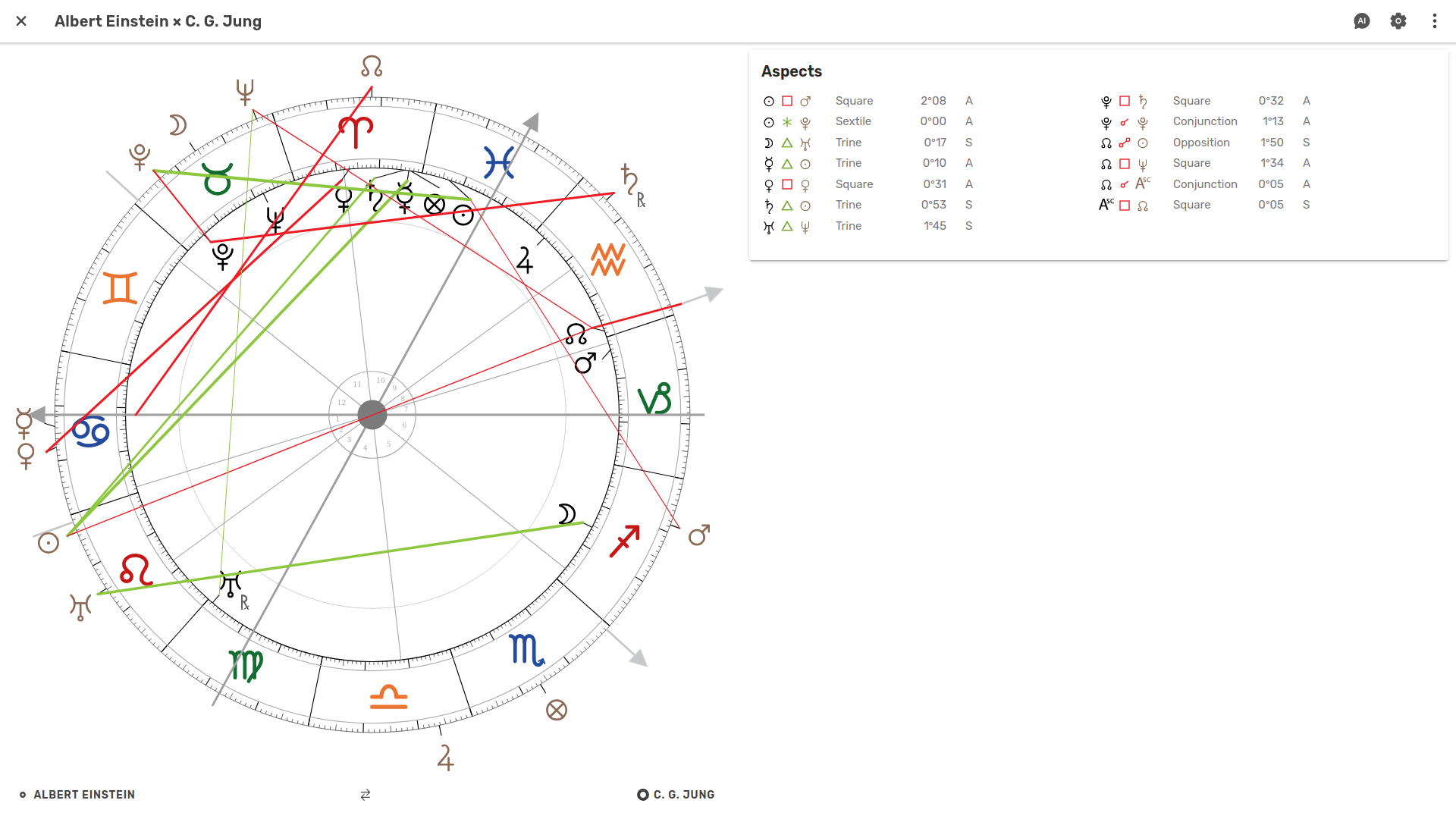
A synastry chart combines two charts in the same wheel, so you can see the connections between them.
The same view works for any relationship – partners, family, colleagues, or a person and the company they founded. Any two charts in your library can be combined.
Create
Bring two charts together.
- Easy synastry creation
Select any two charts from your list and press the Synastry button.
- Automatically saved
Once created, a synastry is saved automatically and available from the Synastry menu.
Interpret
Explore the connections between two charts.
- Synastry view
See the two charts together, with one chart inside the other.
- Highlight points
Hover or click points in the chart to highlight them and their inter-aspects. Focus on specific parts of the synastry and make connections easier to see.
- Aspects
See the inter-chart aspects both in the wheel and in the list.
- Orbs
Set orbs specifically for synastry, independently of your radix settings.
- Swap charts
Swap which chart is inside and which is outside.
- Easy access to radix
Click a name below the synastry to open the full radix chart, then return to the synastry view.
Ask Astropilot AI
Get help exploring the relationship between two charts.
- AI assistance at hand
Astropilot AI is always close at hand, right alongside the synastry you're exploring.
- Ask about the synastry
Explore the dynamics between two charts, investigate aspects, and deepen your understanding with AI assistance.
- Grounded in your synastry
Astropilot AI sees both charts and their inter-aspects, so you can ask questions about the synastry you're looking at.
- 10 AI credits each month
Your subscription includes 10 AI credits to use each month—enough for around 10 medium-length conversations, or many more shorter questions and answers. Need more? You can purchase additional credits at any time.